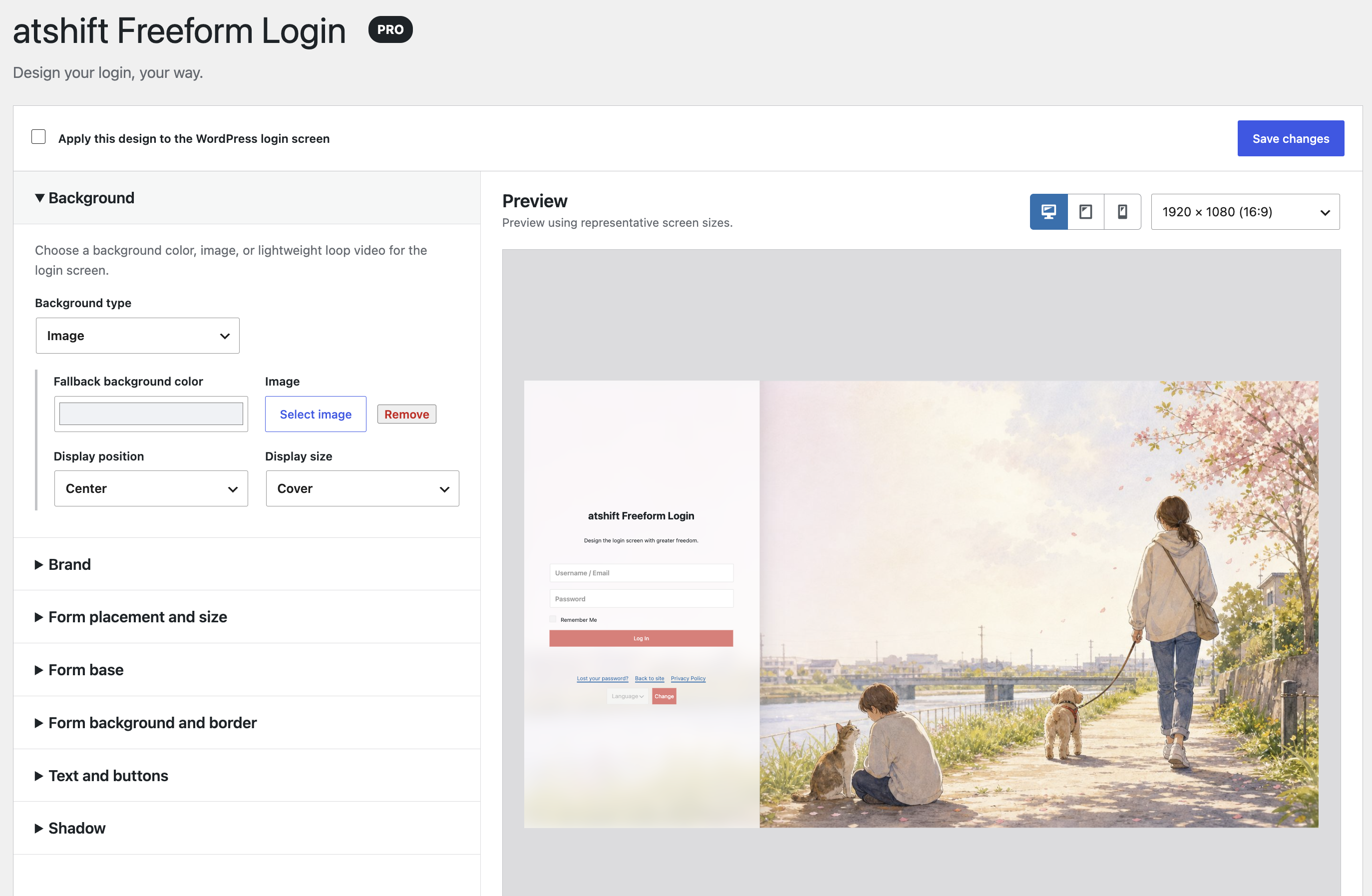
Shape the login screen with the free plugin, then add Pro only when the site needs more precise background, brand, placement, layer, and styling controls.
Try Pro free for 7 days before purchasing. No credit card or automatic billing. Buy the one-time 1-site license only if you want to keep using Pro.
Free plugin
Free
Core login design and authentication
$0/forever
Use backgrounds, branding, nine-position placement, colors, live preview, shortcodes, and passkey login on supported environments.
Review the actual settings before purchaseAdjust backgrounds, branding, placement, layers, form styling, interaction colors, and shadows in the same live preview.
Free and Pro comparison
Feature
Free
Added by Pro
Background color and image
Available
Adds looping video
Form placement
Nine positions and width
5 by 5 placement and offsets
Brand
Site title
Custom logo, description, width, and alignment
Form background
Core settings
Background layers, opacity, and blur
Text, links, and buttons
Core colors
Detailed state colors
Passkeys and shortcodes
Available
Continues using the free features
Purchase and setup
Each product and site combination can use one free trial. After seven days, only the Pro design controls stop; free login, passkeys, shortcodes, and settings keep working. Saved Pro values remain and return when you enter a purchased key.
Purchase the one-time license through Stripe Checkout. After payment, the completion page and purchase email provide the license key and the Pro ZIP download instructions.
Install the free plugin from WordPress.org first, then upload the Pro ZIP and activate both plugins. Back up important sites and verify the setup in a staging environment before production.

 Freeform Login
 User Profile Fields
 atshift Members
 atshift Fields
 KOTOTSUGI
 atshift DEFT
 atshift Feed Builder
 IP Blocker with WAF