Organize complex input
Use tabs, columns, accordions, conditions, and loops to give even large editing screens a clear structure.
 WordPress Plugins
 atshift Fields
 User Profile Fields
 Freeform Login
 Feed Builder
 KOTOTSUGI
 atshift Members
CUSTOM FIELDS / FREE
Build WordPress
custom fields for
real-world use.
Create text, media, choice, relationship, and repeatable fields, then organize the editing screen with tabs, columns, accordions, and conditional rules. Titles, content, categories, tags, featured images, and publishing controls can live inside the same field group. atshift Fields retains the main stored-data structures and APIs of the original Custom Field Suite while letting you build an admin experience around the real order of content work.
Free / GPLv2 / Tested with WordPress 7.1
EDITOROrganize complex editing screens
COMPATIBILITYRetains key CFS data and APIs
MAINTENANCEMaintained for current WordPress
01 / Features
atshift Fields preserves the main data structures and APIs of the original Custom Field Suite while adding the security and editing improvements needed for current WordPress sites.
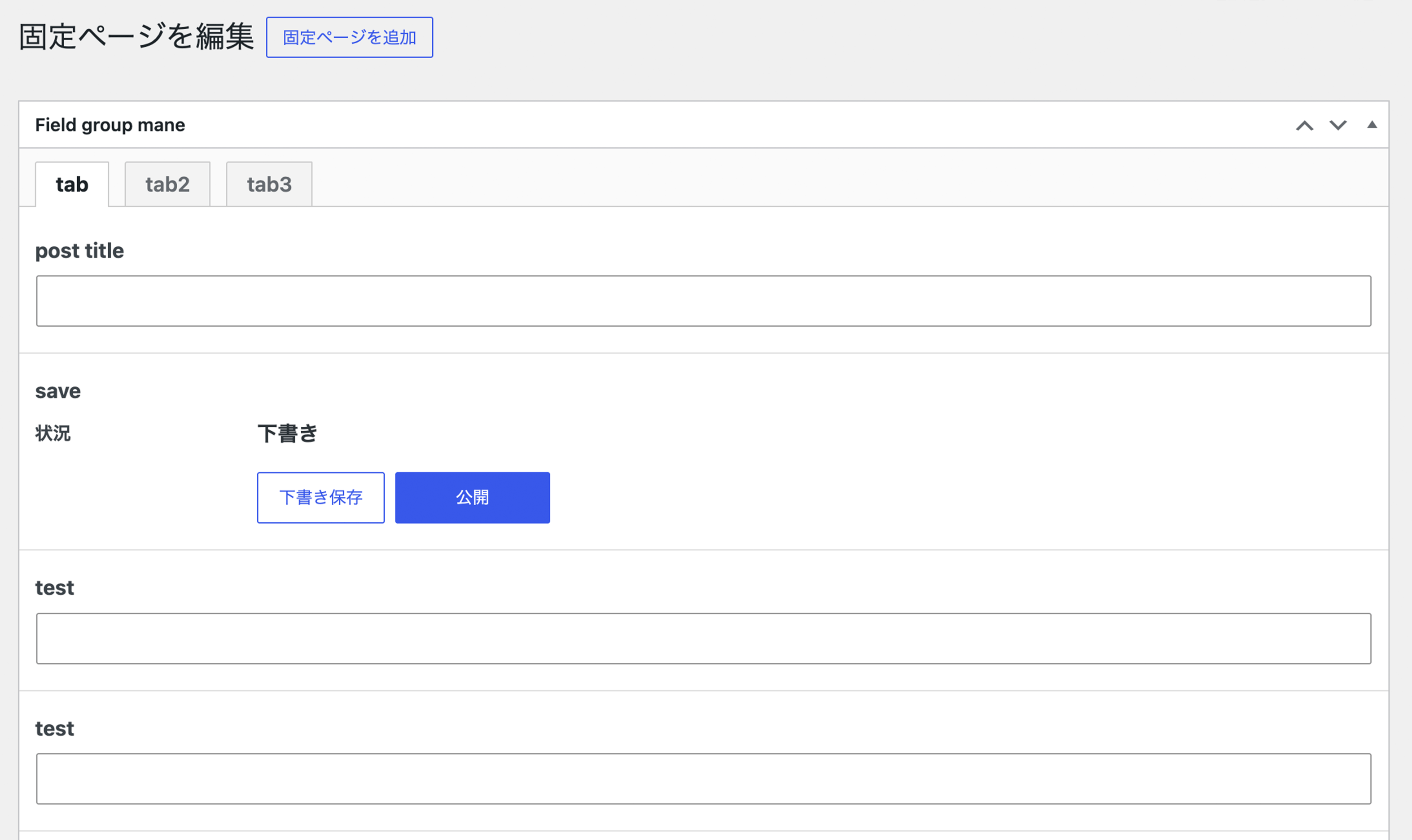
Use tabs, columns, accordions, conditions, and loops to give even large editing screens a clear structure.
Place titles, content, categories, tags, featured images, and publishing controls inside a field group.
Support existing site migrations while continuing to improve permissions, input handling, and protection against known vulnerability classes.
02 / Screens
Create, reorder, group, and assign fields entirely in the WordPress admin. Review the actual editing experience while shaping it around your site.
View the guide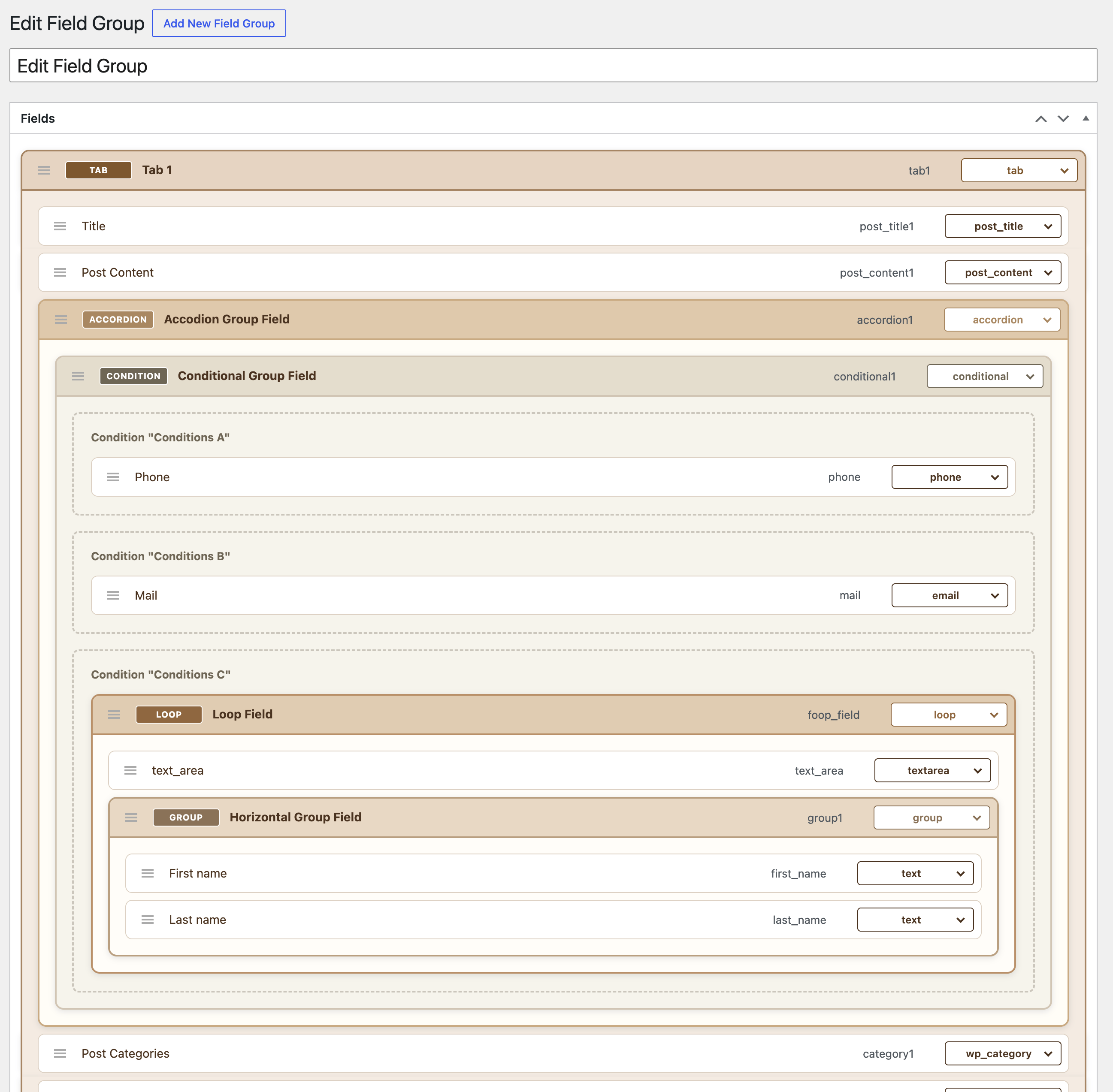
03 / Setup
Before using the plugin on a production site, take a backup and verify the display and behavior in staging.
Install it from WordPress.org, then deactivate the original CFS plugin before activation.
Set up fields and placement rules to match the way the site is maintained.
Retrieve values with CFS()->get() and escape them appropriately for their output context.
04 / Guides
Find the information you need through focused setup, output, and integration guides.
05 / FAQ
Common questions about features, compatibility, and the scope of each plugin.
WORDPRESS PLUGINS BY @SHIFT
Start in staging and confirm that the plugin fits your actual workflow.