Add profile fields
Add text, email, URL, number, option, image, and other fields required by your operation.
 WordPress Plugins
 atshift Fields
 User Profile Fields
 Freeform Login
 Feed Builder
 KOTOTSUGI
USER PROFILE / FREE + PRO
Make user profiles
clear and practical.
Add text, choice, image, and other profile fields, then reorder and require them alongside WordPress core fields such as names, contact details, and language. Groups and conditional rules keep user creation and editing focused, while JSON import and export supports reuse and backup. Pro extends the same field set with user classifications, public profiles, front-end self-editing, and CSV operations.
Free plugin + Pro add-on / Tested with WordPress 7.1
PROFILEUnify core and custom fields
LAYOUTUse groups and conditions
CONTROLControl visibility and editing
01 / Features
Collect the information your site needs while giving both users and administrators a natural order and structure.
Add text, email, URL, number, option, image, and other fields required by your operation.
Reorder names, contact details, language, admin preferences, and custom fields together.
Export settings as JSON for another site, migration, or backup.
02 / Screens
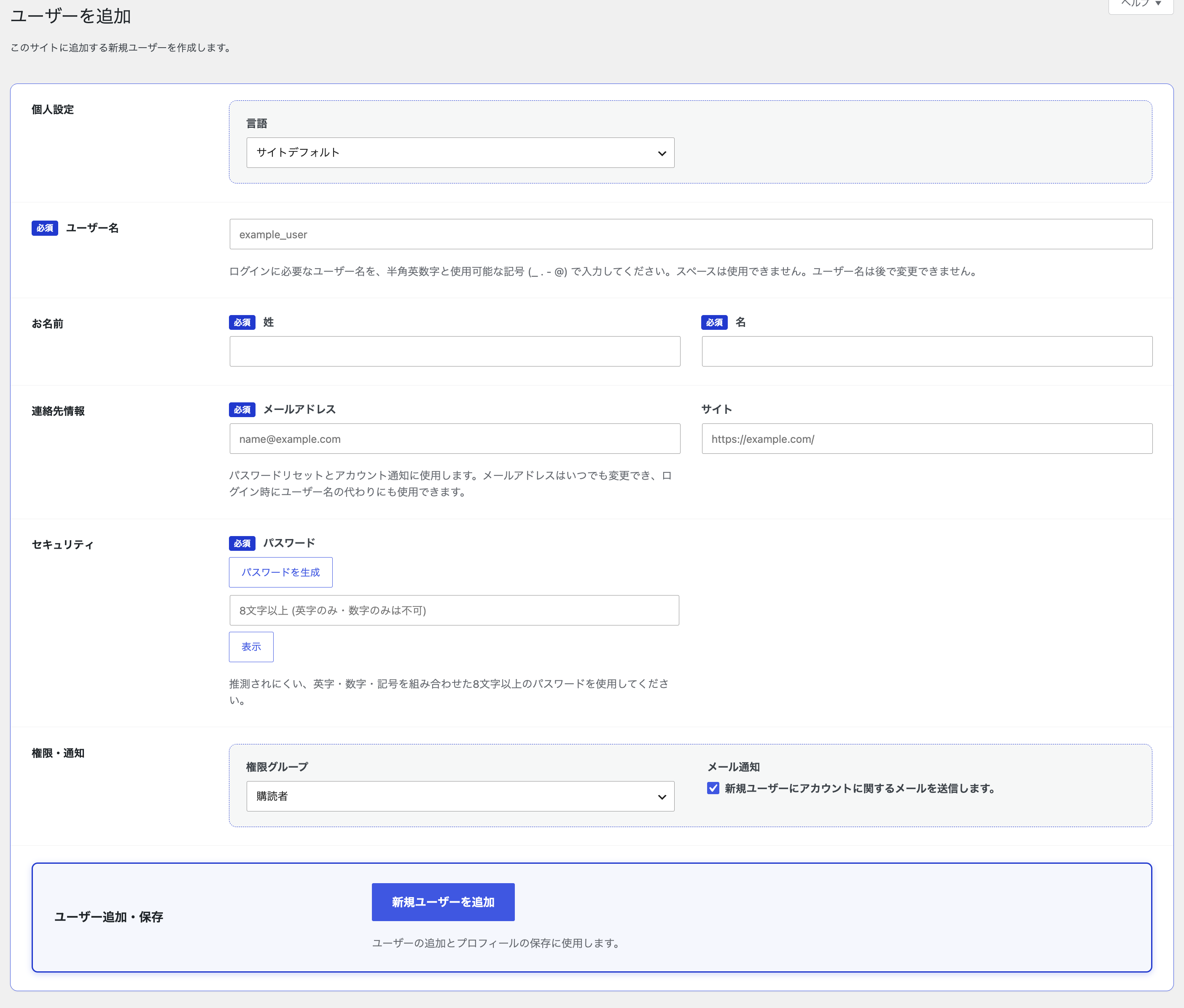
Order, groups, and required settings from field management are applied directly to the user creation and editing screens.
View the guide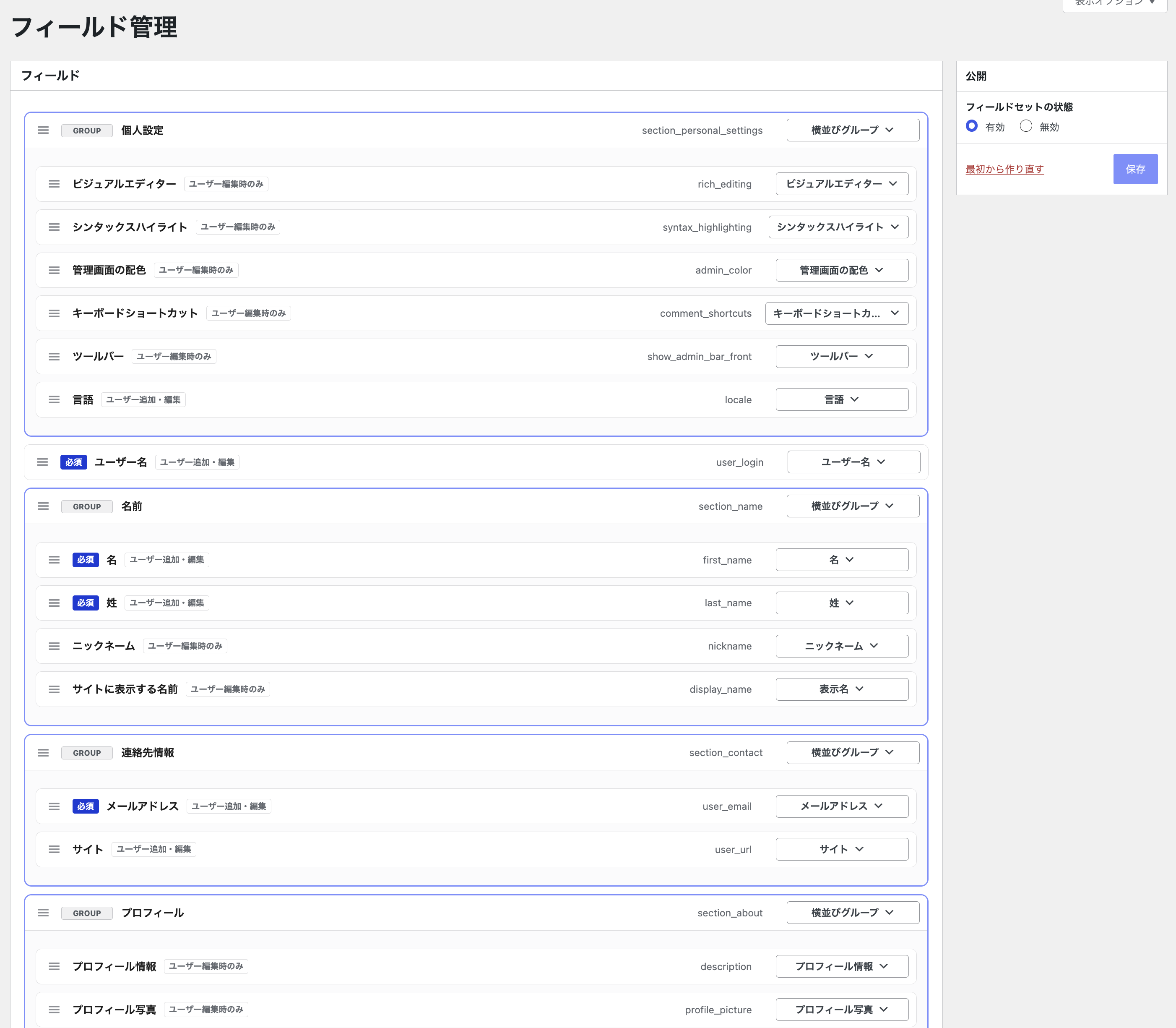
03 / Setup
Before using the plugin on a production site, take a backup and verify the display and behavior in staging.
Install it from WordPress.org and open Field Management.
Start with a preset or add only the fields you need.
Check visibility, required validation, and saved values on the create and edit screens.
04 / PRO ADD-ON
Keep the field set built with the free plugin and extend it with classifications, public profiles, front-end editing, and CSV workflows.
Create hierarchical structures for companies, departments, chapters, membership types, regions, and more.
Control how each field is handled in the admin, front-end editing, and public profiles.
Display individual profiles and user directories as cards or tables.
Export and import users, profile values, and classifications in CSV format.
PRO ADD-ON / ANNUAL
An annual add-on used alongside the free plugin. Choose Personal for 1 site or Agency for 10 sites, then receive the Pro ZIP and license key after purchase.
05 / Guides
Find the information you need through focused setup, output, and integration guides.
06 / FAQ
Common questions about features, compatibility, and the scope of each plugin.
WORDPRESS PLUGINS BY @SHIFT
Start in staging and confirm that the plugin fits your actual workflow.