
 Freeform Login
 User Profile Fields
 atshift Members
 atshift Fields
 KOTOTSUGI
 atshift DEFT
 atshift Feed Builder
 IP Blocker with WAF
Freeform Login
Freeform Login Guide
Follow the design, shortcode, passkey, and Pro guidance in installation order.
01 / DESIGN
Design settings
Style the WordPress login screen while preserving core authentication.
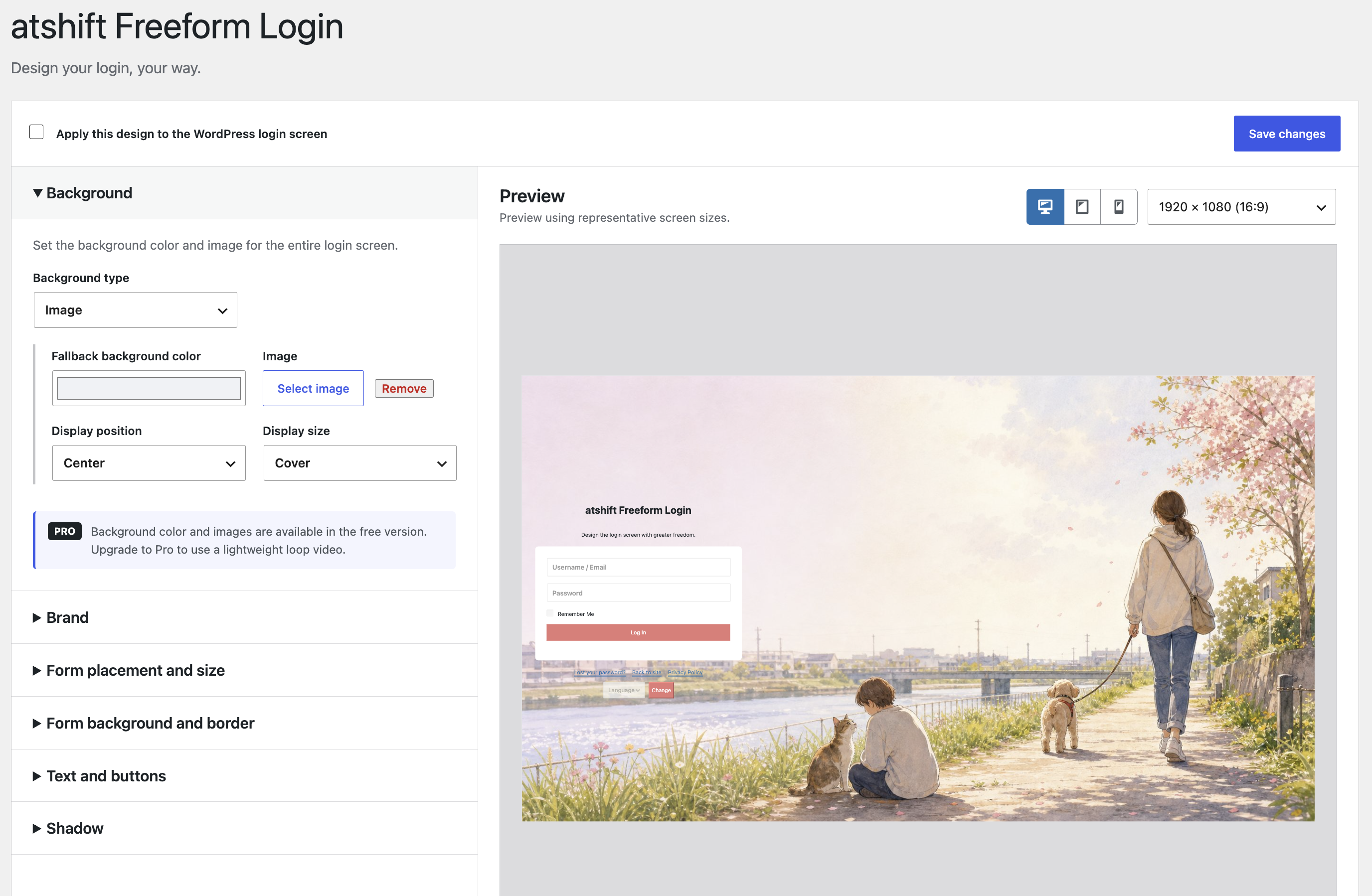
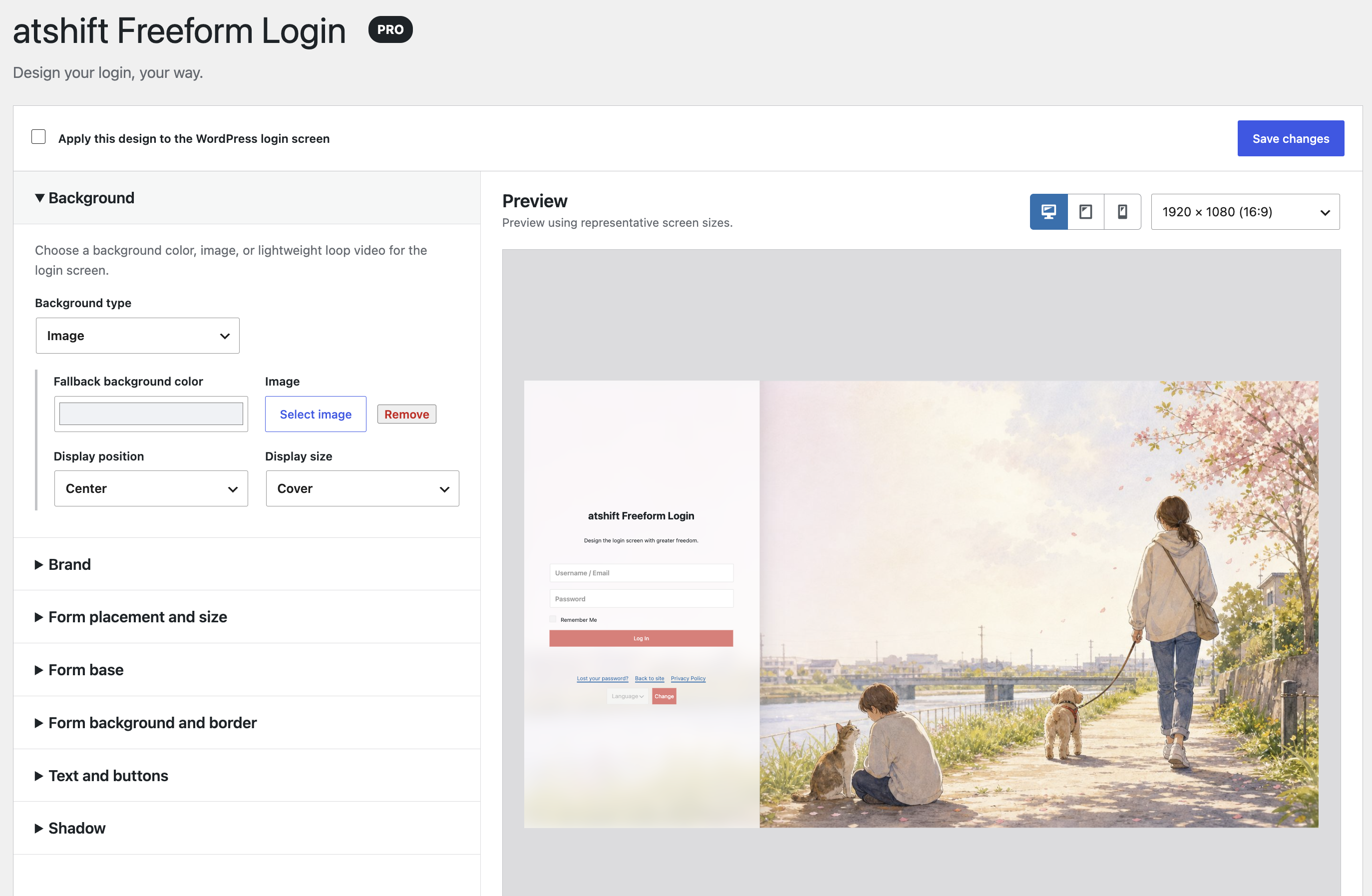
Open Freeform Login under Settings and configure the background, brand, form, and placement. Review changes in the responsive preview before enabling them.
Check contrast, form width, and password-manager behavior on desktop and mobile.
What to check
- Background color or image
- Site title or logo branding
- Form placement, width, fields, and buttons
- Responsive preview
02 / SHORTCODE
Shortcodes
Place the complete login experience or only the controls your page needs.
Use [atshift_login] for the complete form. Use [atshift_passkey_login] when another plugin already provides username and password fields.
[atshift_passkey_profile] lets the signed-in user manage only their own passkeys and never accepts a user ID.
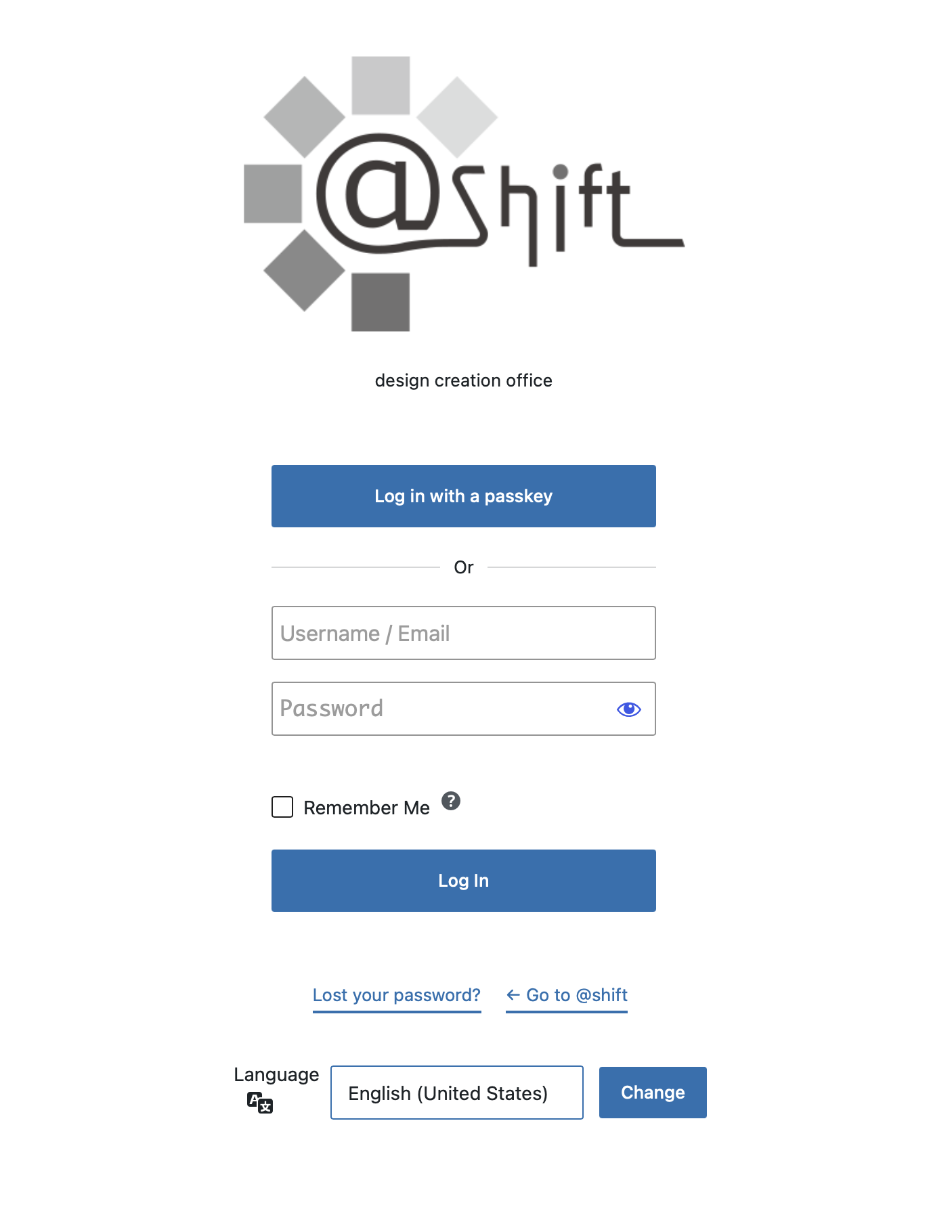
[atshift_login]
[atshift_passkey_login redirect="/my-account/" remember="true"]
[atshift_passkey_profile heading="false"]
03 / PASSKEY
Register and use passkeys
Sign in with device biometrics, a PIN, or a security key.
Passkeys require PHP 8.3 or later, HTTPS, and the PHP JSON and OpenSSL extensions. Design and password login continue to work when those requirements are unavailable.
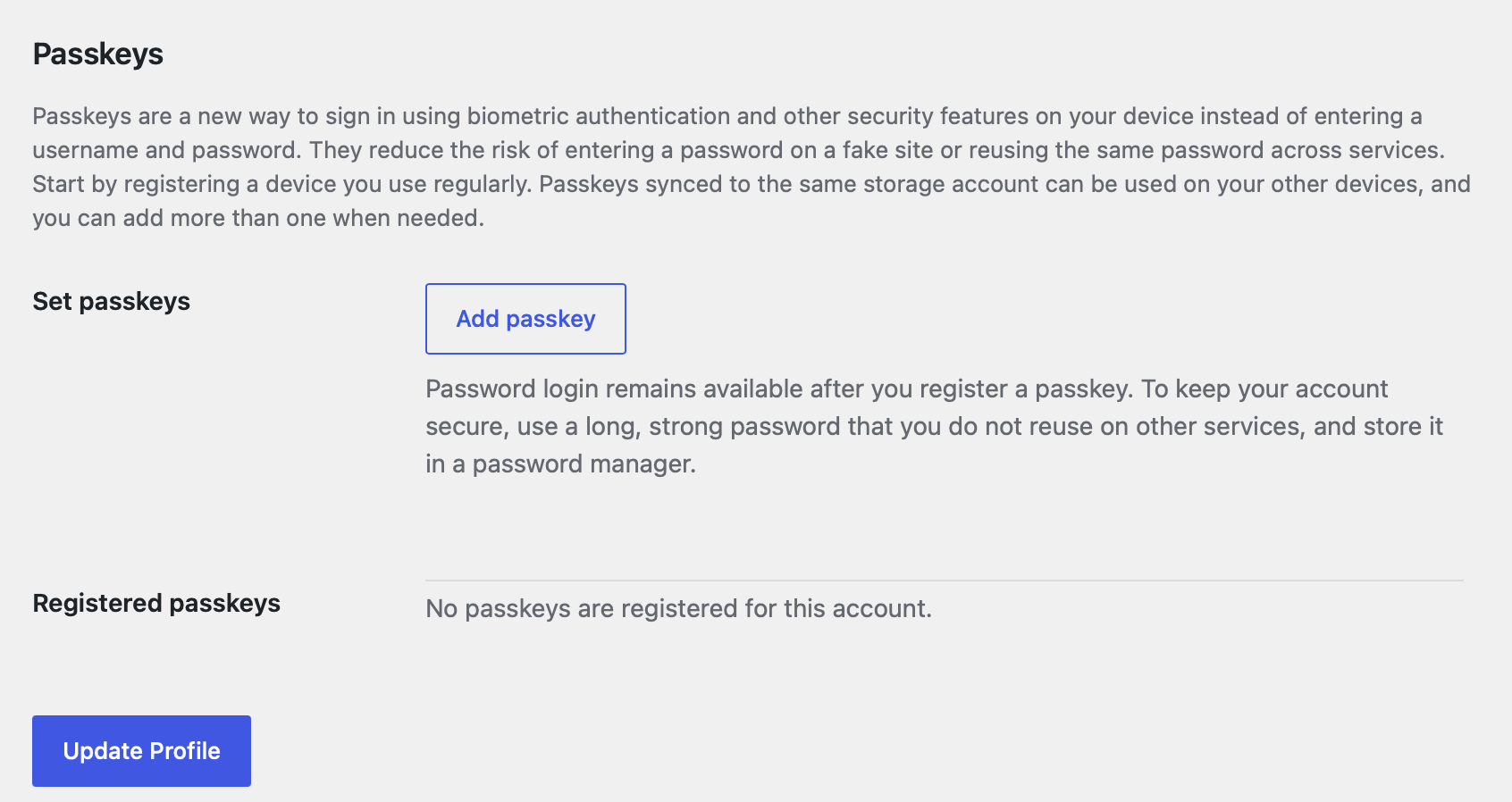
Each WordPress user can register up to five named passkeys from their own profile. The profile shows the count from 0/5 to 5/5, registration date, and last-used date.
Steps
- Open Users > Profile and choose Add passkey
- Approve the browser or operating-system prompt
- Name the credential and confirm it in the list
04 / PRO ADD-ON
Additional Pro presentation controls
Extend the free settings with more detailed visual treatments.
Pro is an add-on for the free plugin and keeps its existing settings.
Verify video weight, readability, password managers, and Jetpack SSO in staging before production.
What to check
- Looping video backgrounds
- Background layers
- Extended brand controls
- Detailed field and button styling
WORDPRESS PLUGINS BY @SHIFT
Bring Freeform Login
into your workflow.
Start in staging and confirm that the plugin fits your actual workflow.