The Pro add-on adds user classification features for membership sites, organization sites, user directories, and other uses to the profile fields created with atshift User Profile Fields. This add-on is available as a WordPress plugin.
Start using the Pro add-onAdd user classifications, visibility controls, public profiles, and CSV operations.
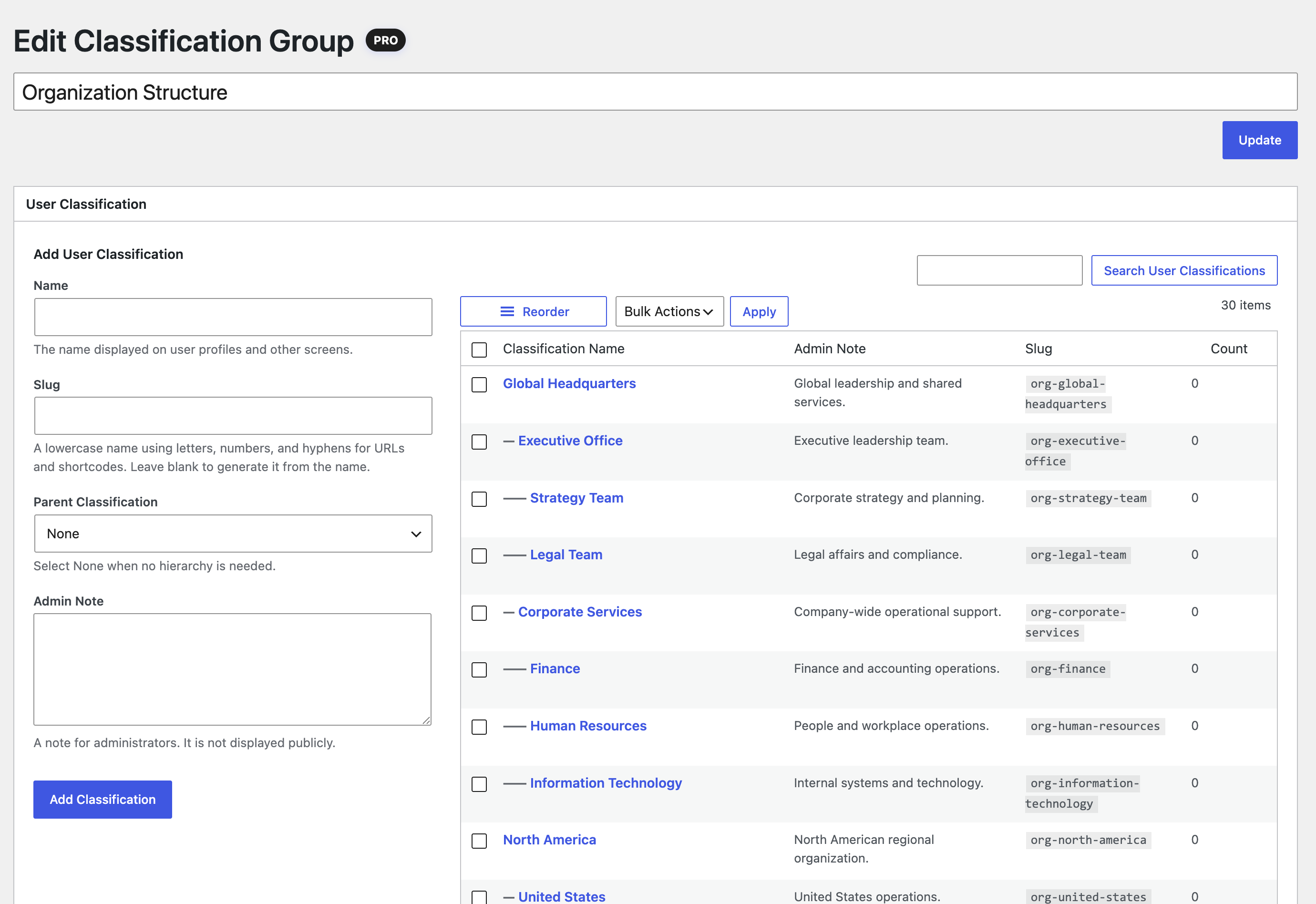
Create user classifications similar to post categories. Prepare multiple classification groups for companies, departments, branches, membership types, regions, public categories, and other operating needs.
Parent, child, and grandchild hierarchies
Single selection or multiple selection
Drag to change display order
Classification fields are automatically added to the user edit screen
Operation example Use one group for Organization, such as Headquarters to Administration Division to General Affairs, and another for Membership Type, such as Individual Member or Corporate Member.
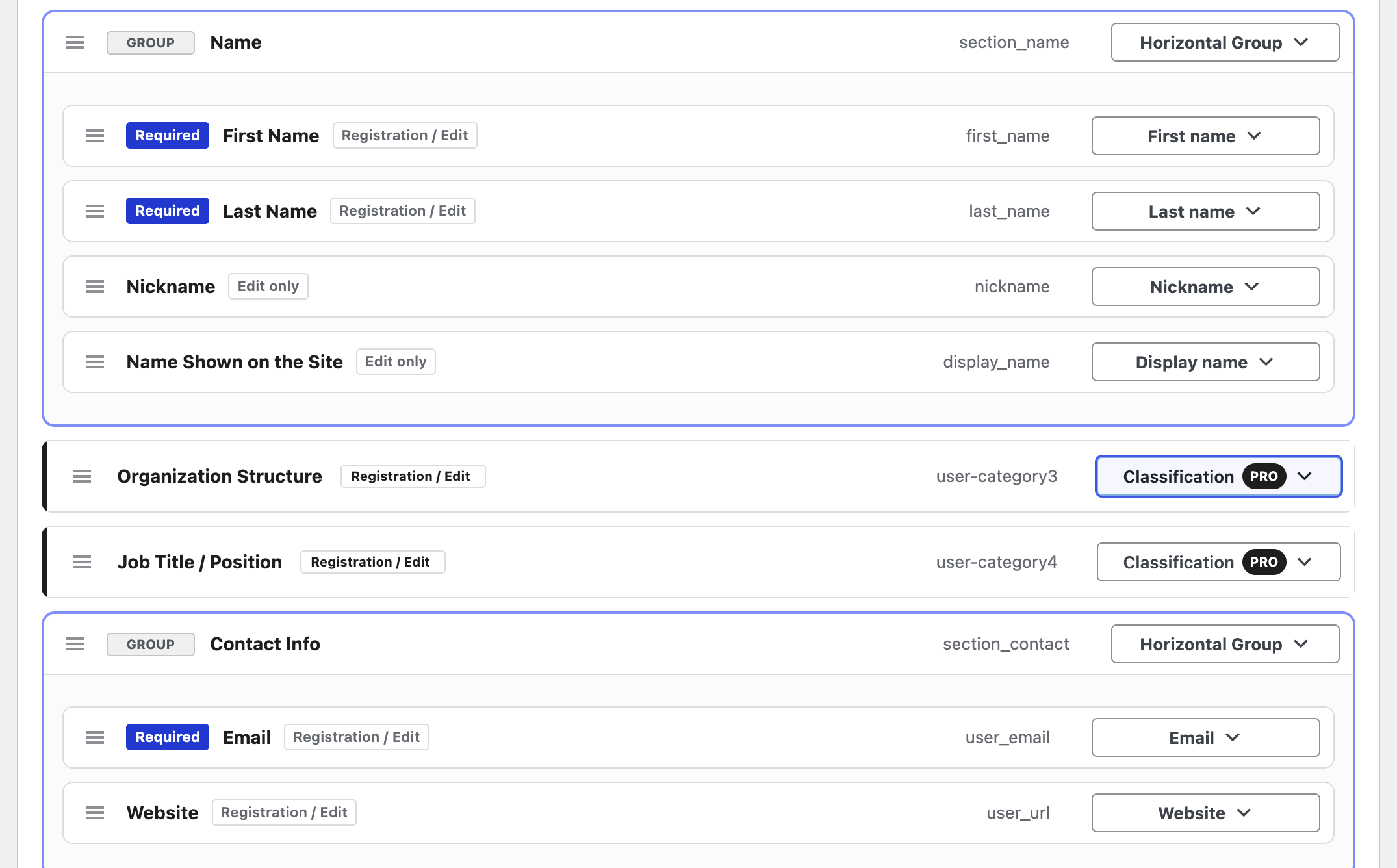
Integrated into the free field managerEach user classification is added automatically as a Pro field and can be reordered together with the other profile fields.Edit a classification groupAdd classifications, build hierarchies, search, and reorder them from one screen.
Display on user edit screens
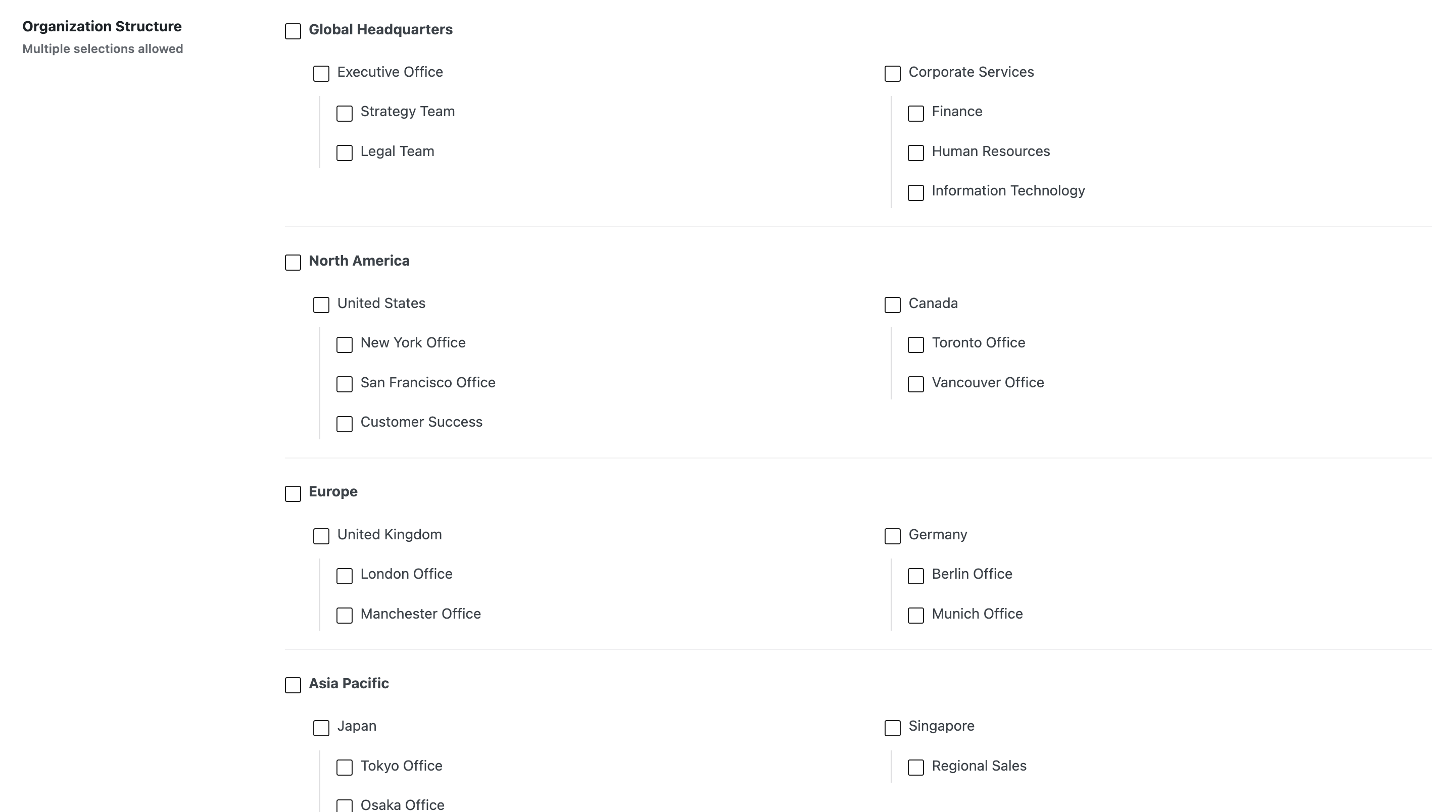
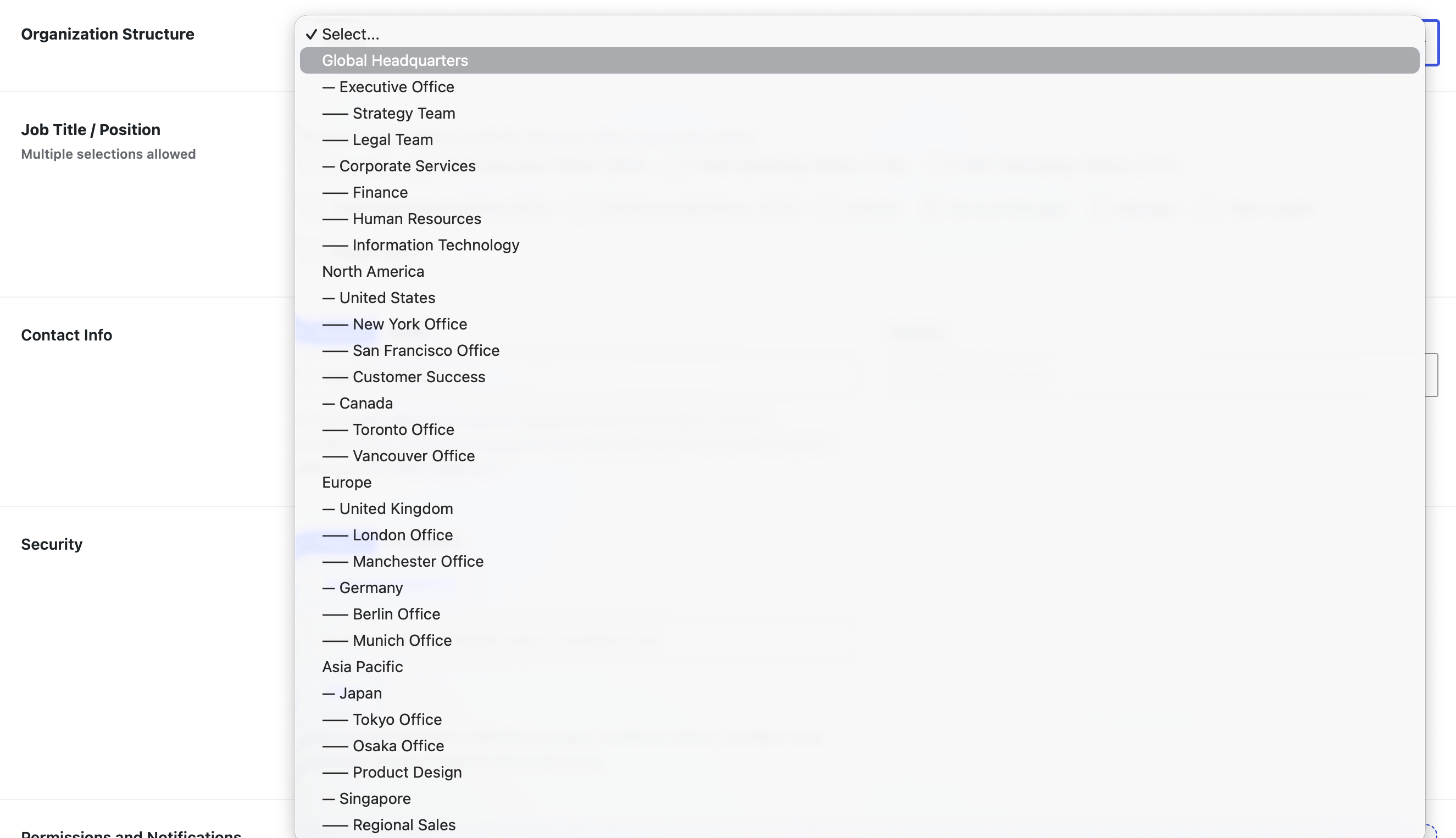
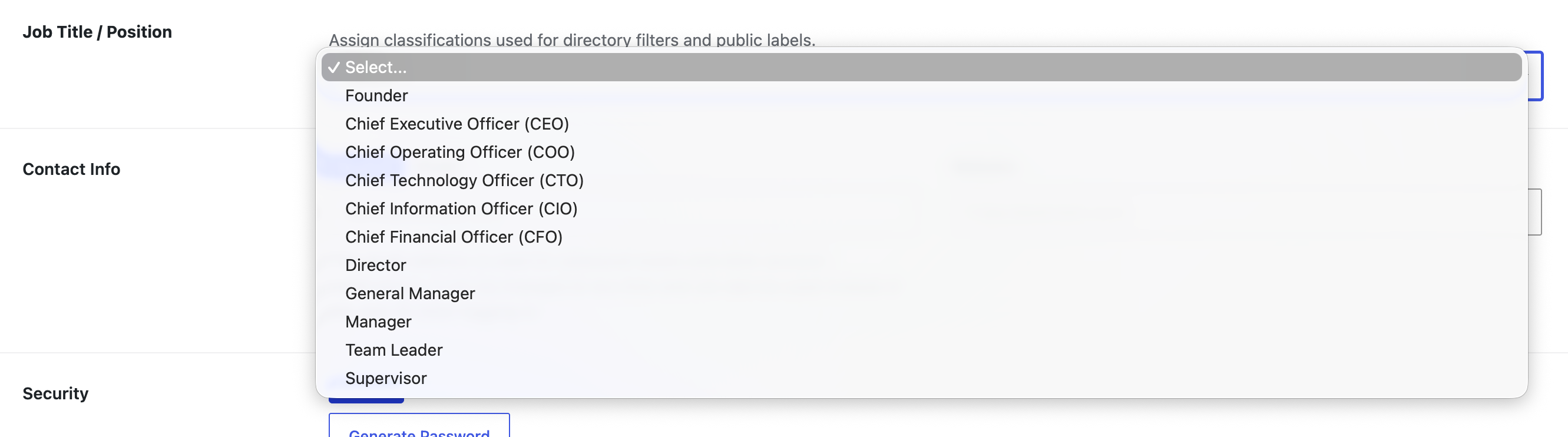
Classifications appear as checkboxes or a select menu according to their structure and selection setting.
Hierarchy with multiple selectionCheckboxes preserve the parent and child structure.Hierarchy with single selectionA select menu keeps each hierarchy level visible.Flat multiple selectionOptions wrap naturally according to their label length.Flat single selectionOptions are presented in a compact select menu.
View and edit control
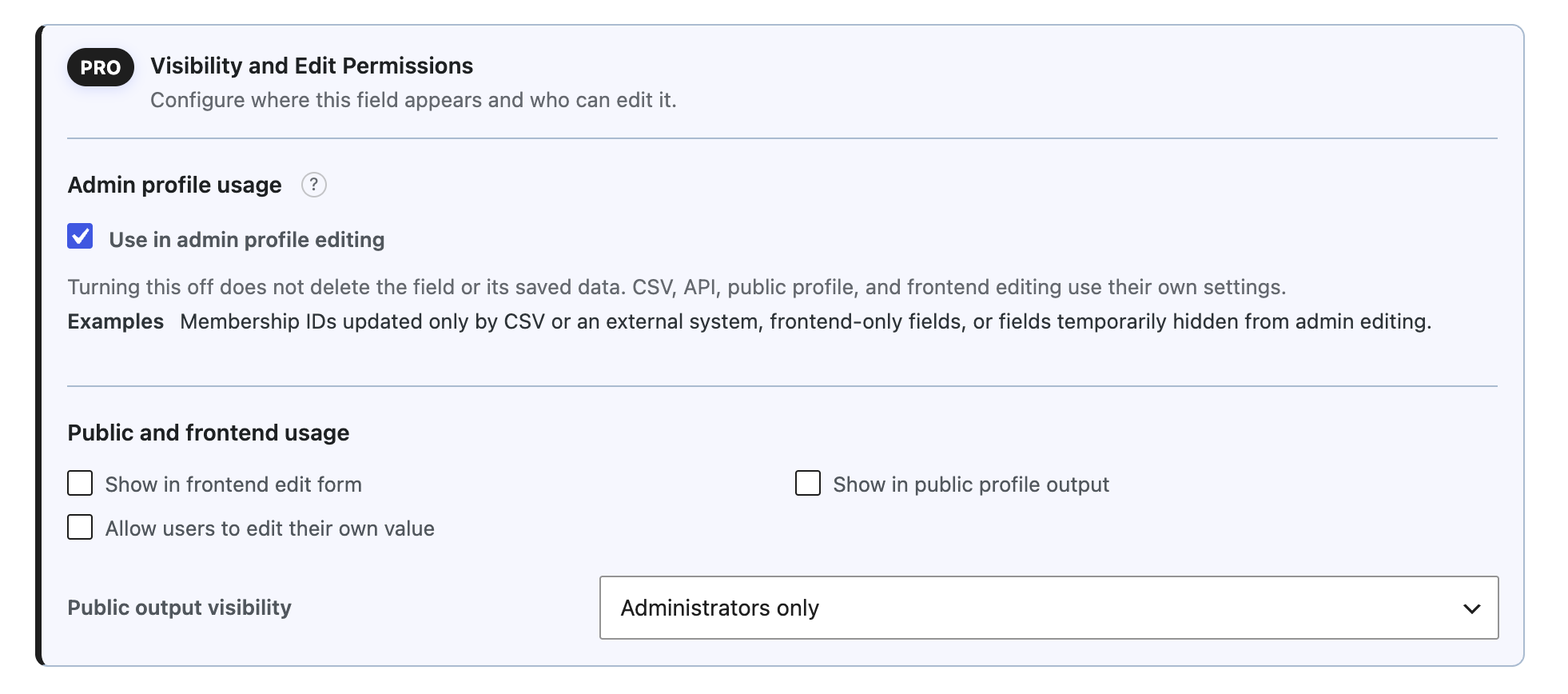
Set who can see and edit each profile field. Internal admin-only information and public information edited by the user can live in the same field set with different rules.
Choose roles that can see fields in the admin area
Choose roles that can edit fields in the admin area
Choose fields shown in the self-edit form
Choose fields shown in public profiles
Visibility and editing controls for each fieldSet how a field behaves in admin profiles, self-edit forms, and public profiles.
Profile usage on the site
Place shortcodes in posts or pages to display a self-edit form, public profile, or user directory.
Self-edit form
The logged-in user edits profile fields that are allowed for frontend editing.
Public profile
Display fields that are allowed for the specified user.
Open Tools, then atshift User Profile Fields Tools in WordPress to move or update each type of operational data.
User data
Bulk update basic user information, added profile values, and user classification assignments with CSV files.
User classifications
Move classification groups, items, hierarchy, and display order between sites with JSON. User assignments are not included.
Localization
Export field and classification translations as CSV, then import translations prepared with AI or spreadsheet software.
User data import updates only values whose column names match the CSV. Export a CSV first and use it as a template to confirm the available columns.
Delete Free and Pro data separately
The Delete tab lets you choose separately between the free field configuration, custom profile values, and Pro data. Pro data is preserved by default.
When Also delete Pro data is selected Pro removes user classification structure and assignments, and localization data. The license key and activation status are preserved.
Localized profile fields and user classifications
Add per-language translations for labels and descriptions configured with atshift User Profile Fields, as well as Pro classification group names, classification names, and display descriptions. Pro uses the translation matching the active WordPress language and falls back to the original content when no translation is available.
Original settings and saved user data remain unchanged. Add translations only where needed and manage them directly in WordPress or through CSV import and export.
Requirements
Pro is an add-on used with atshift User Profile Fields (the free version). It keeps using the field sets and saved values from the free version. If Pro is disabled, profile management in the free version continues.
The Pro add-on is available from the pricing page. Verify the free plugin requirements first, and use backups and staging for important sites.

 atshift Fields
 User Profile Fields
 Freeform Login
 Feed Builder
 KOTOTSUGI