
 Freeform Login
 User Profile Fields
 atshift Members
 atshift Fields
 KOTOTSUGI
 atshift DEFT
 atshift Feed Builder
 IP Blocker with WAF
KOTOTSUGI
KOTOTSUGI Guide
Use Quick Post or Markdown Posting to review a draft before converting it to editable WordPress blocks.
01 / QUICK POST
Quick Post
Focus contributors on writing, reviewing, and submitting.
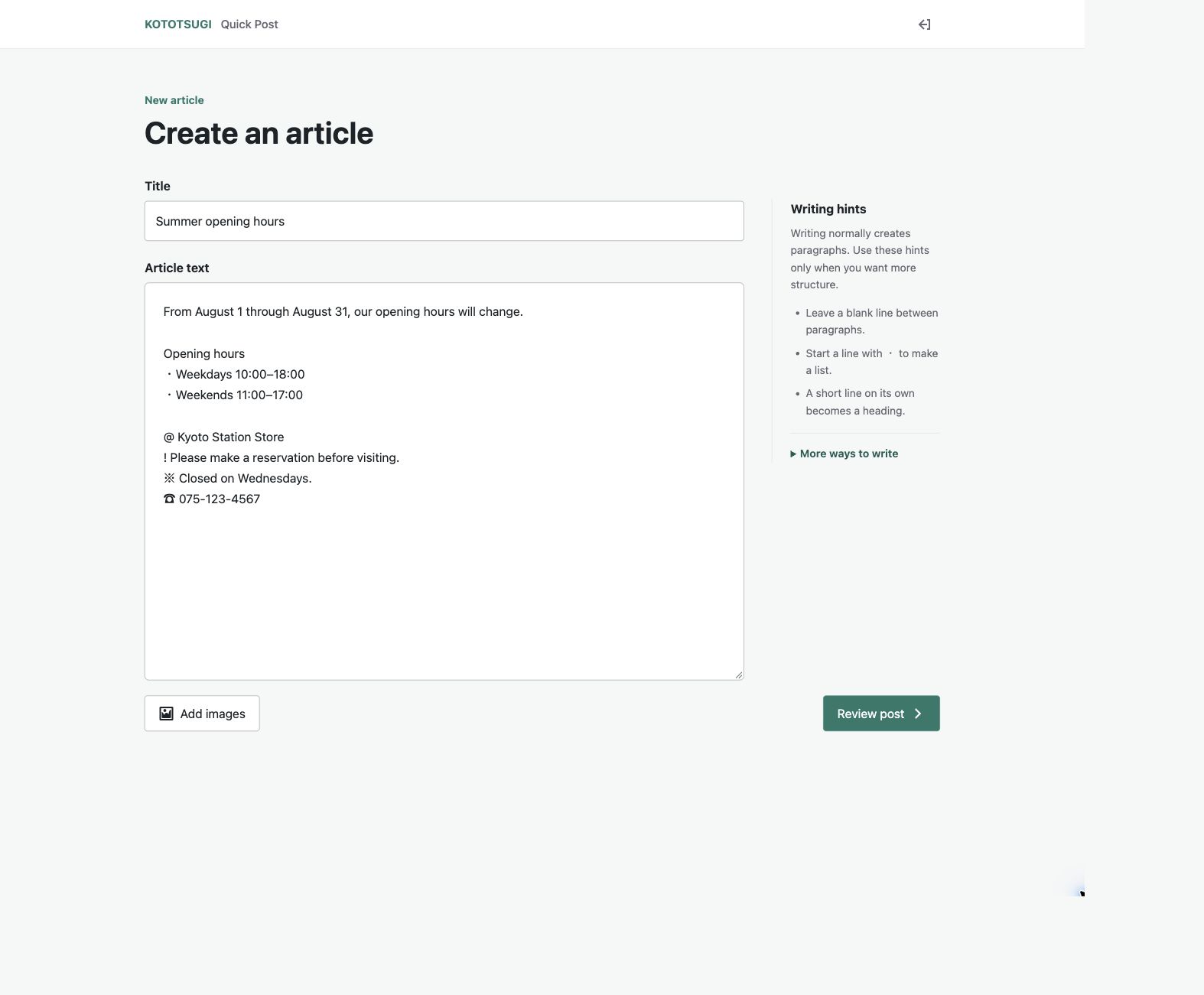
Administrators define the destination and initial status. Contributors enter a title and body, review the preview and warnings, and submit.
Plain text and pasted Markdown are accepted. The workflow always requires a person to review and submit the draft.
Steps
- Enter a title and body
- Review preview and conversion notices
- Submit into the configured editorial flow
02 / MARKDOWN
Supported Markdown
Convert drafts from AI and writing tools into editable core blocks.
KOTOTSUGI supports headings, paragraphs, emphasis, links, quotes, lists, code, dividers, images, and simple GFM tables.
A focused Front Matter subset can be edited or disabled before application. Remote images are validated before import.
What to check
- .md, .markdown, and .txt
- Common Markdown and simple tables
- Focused Front Matter support
- Core WordPress block output
03 / WORKFLOW
Posting workflow
Compare source and preview, resolve warnings, then choose how to apply the result.
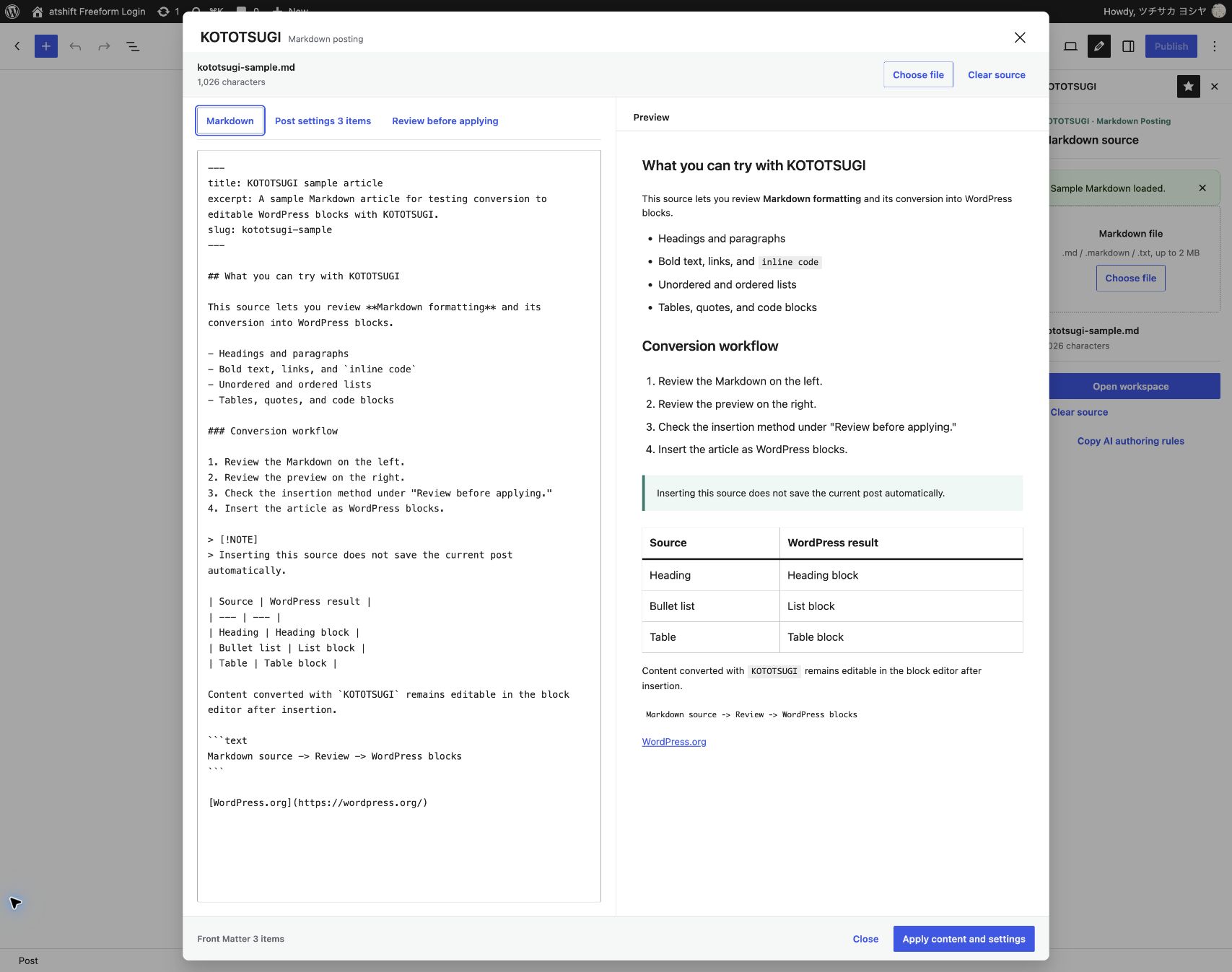
Open the workspace from the block editor and review source beside the WordPress preview.
Preflight checks unsupported syntax, image URLs, heading jumps, multiple H1 headings, and title conflicts. Apply by insert, replace, or new draft.
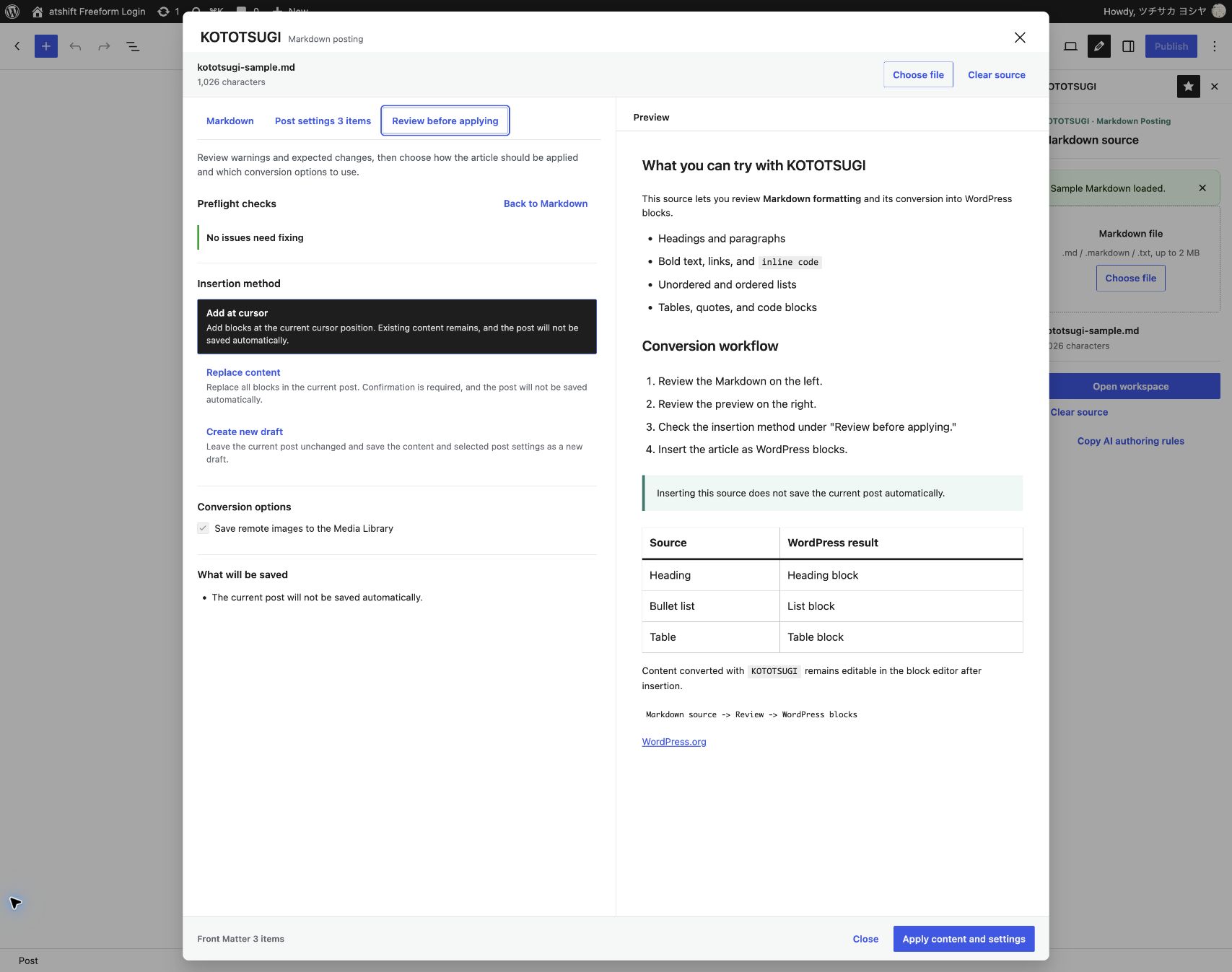
Steps
- Load the draft and compare source with preview
- Review post settings and preflight results
- Insert, replace, or create a new draft
WORDPRESS PLUGINS BY @SHIFT
Bring KOTOTSUGI
into your workflow.
Start in staging and confirm that the plugin fits your actual workflow.