
 Freeform Login
 User Profile Fields
 atshift Members
 atshift Fields
 KOTOTSUGI
 atshift DEFT
 atshift Feed Builder
 IP Blocker with WAF
atshift Feed Builder
atshift Feed Builder Guide
Choose a format, define the audience, map values, and verify the public feed URL.
01 / START HERE
Setup guide
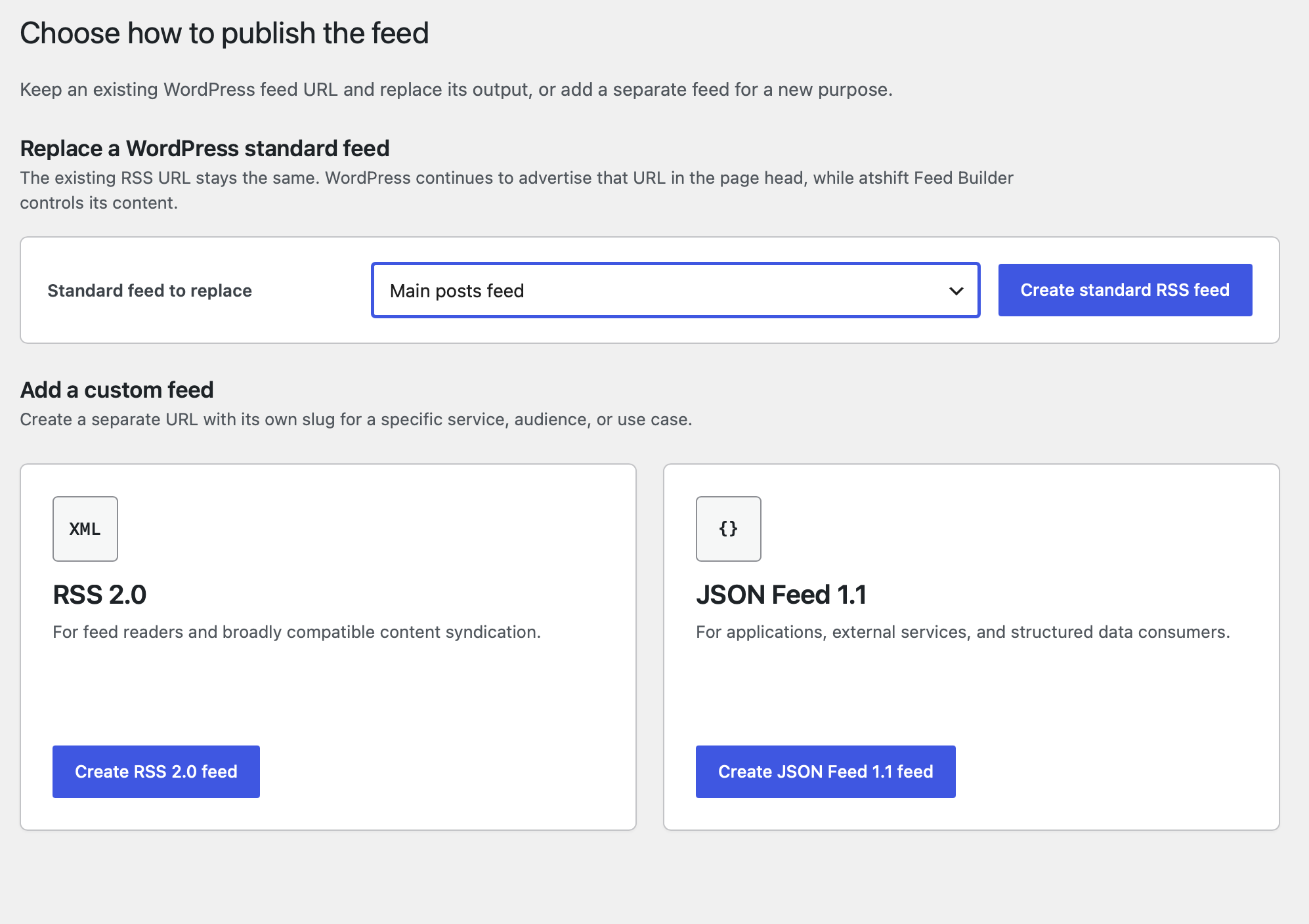
Choose whether to adjust an existing RSS feed or create a purpose-specific feed.
Create a feed and choose RSS 2.0 or JSON Feed 1.1. The format stays fixed so the editor shows only relevant settings.
Filter posts, map only intended public values, save, and verify the generated URL.
Steps
- Choose standard RSS replacement, custom RSS, or JSON Feed
- Configure source, filters, order, and limit
- Map values and verify the public URL
02 / RSS 2.0
RSS feed settings
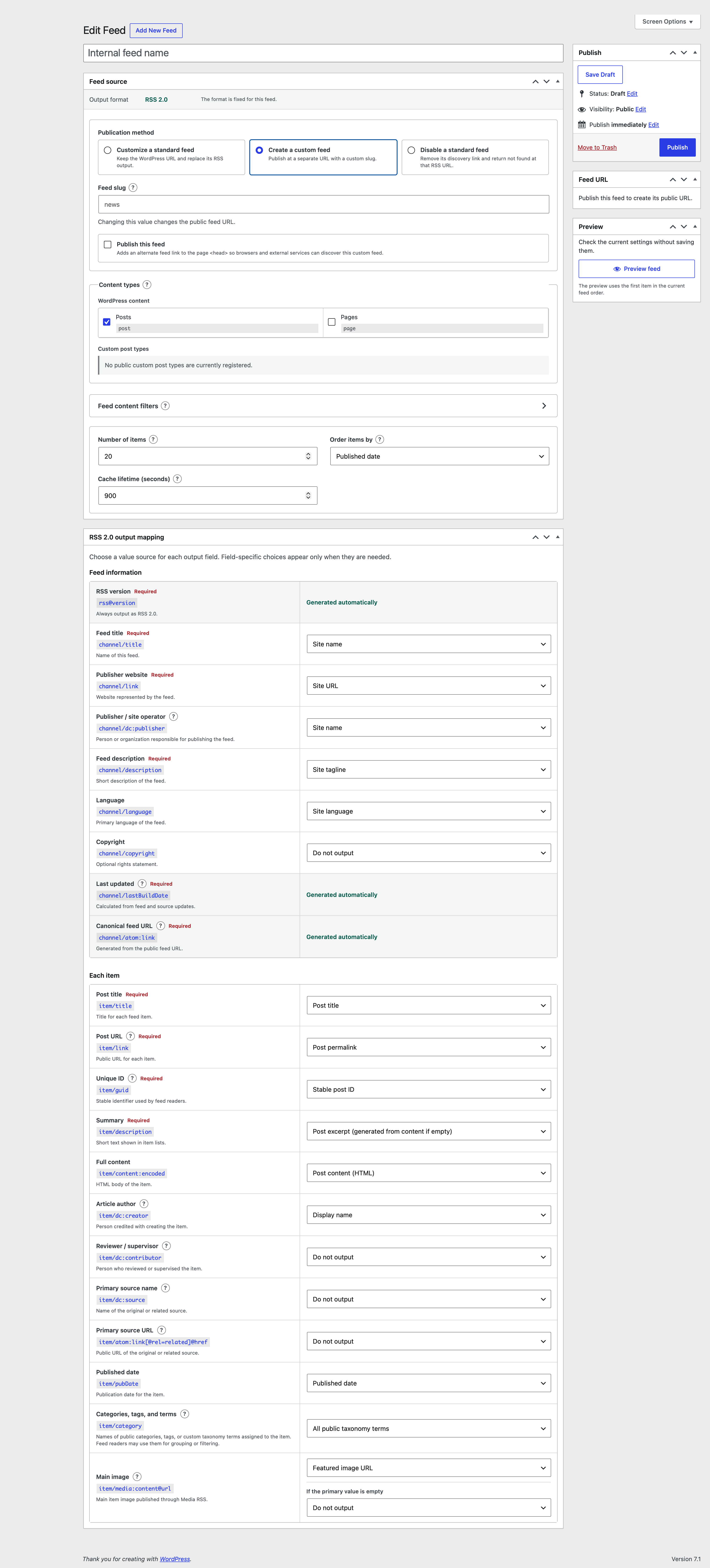
Keep an existing WordPress URL or publish a separate custom URL.
Standard replacement preserves the main posts, public post type, or public taxonomy feed URL.
Custom RSS creates a purpose-specific URL with explicit mappings for RSS 2.0 fields.
What to check
- Existing WordPress feed URLs
- Purpose-specific custom URLs
- Explicit RSS item mapping
- Exclusion of drafts and protected content
03 / JSON FEED 1.1
JSON Feed settings
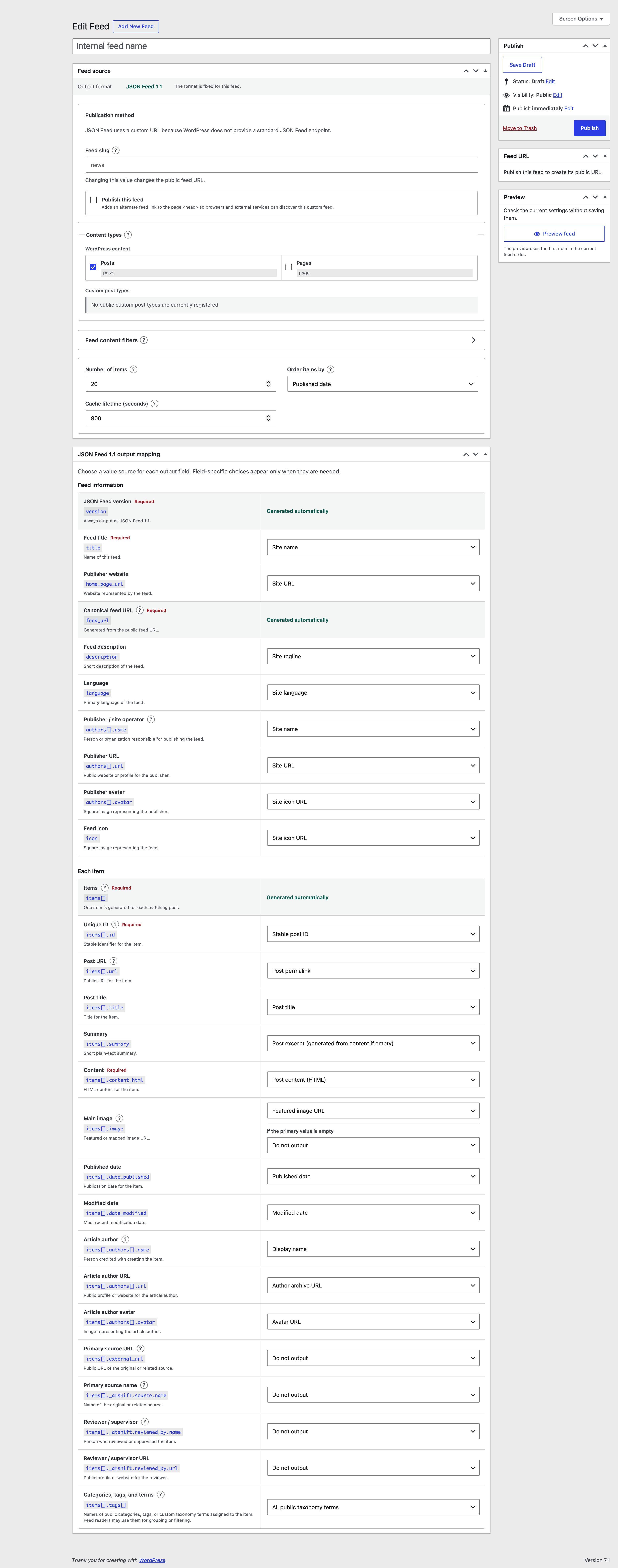
Create a machine-readable feed that follows the public JSON Feed 1.1 specification.
Configure feed metadata and item id, URL, title, content, dates, and authors in the format-specific editor.
Verify content type, character encoding, absolute URLs, and date values against the consuming service.
What to check
- JSON Feed 1.1 field names
- Text or HTML content
- Post, author, and custom-field mappings
- Independent public URL
04 / ADAPTER
Value-source integrations
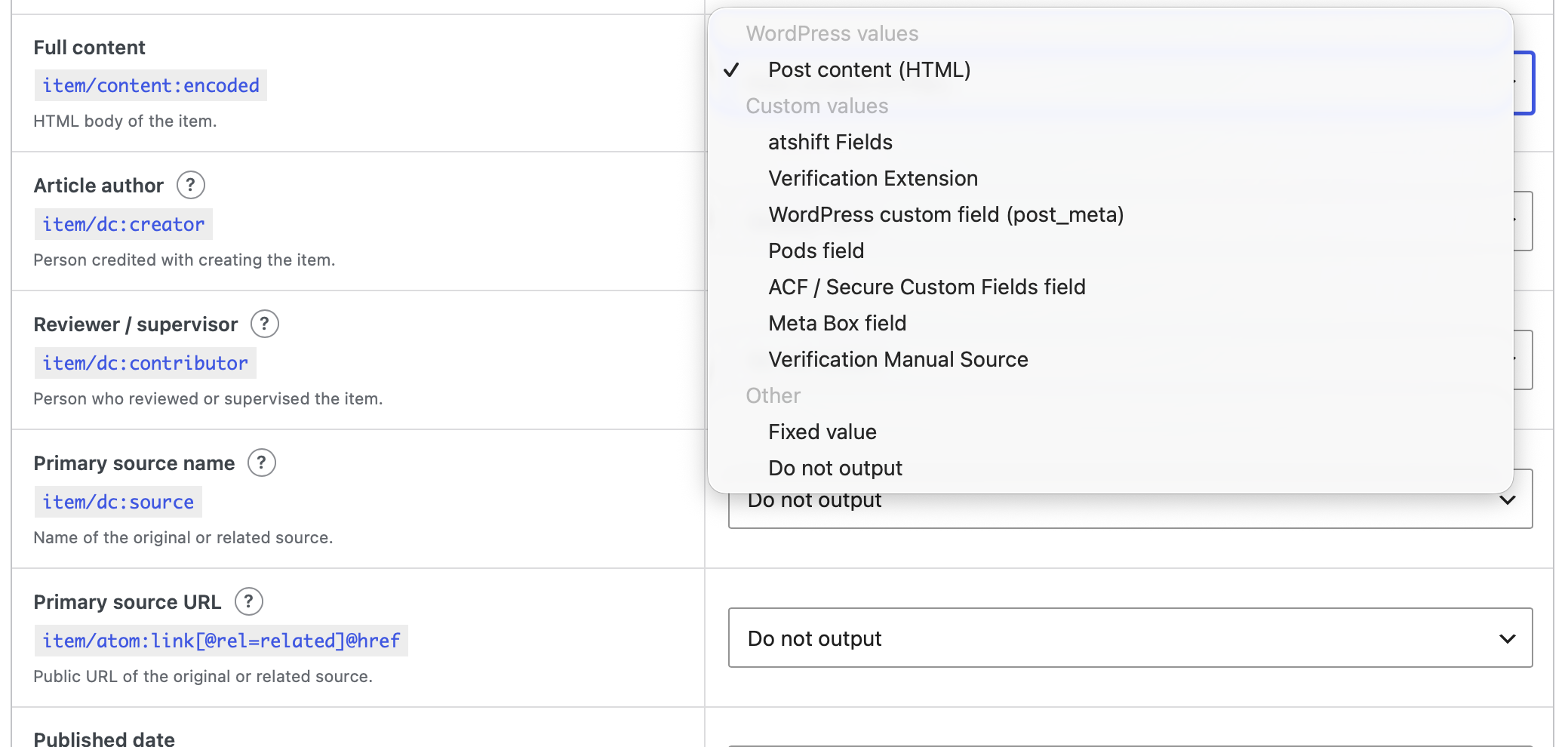
Select public field definitions exposed by supported plugins.
Bundled adapters cover atshift Fields, User Profile Fields, ACF, Pods, Meta Box, and Carbon Fields.
No field is published automatically. Only values explicitly mapped by an administrator are output.
What to check
- Selectable field definitions
- Protected metadata filtering
- Failed adapter values discarded
- Public API for additional adapters
WORDPRESS PLUGINS BY @SHIFT
Bring atshift Feed Builder
into your workflow.
Start in staging and confirm that the plugin fits your actual workflow.