atshiftWordPress Plugins Choose a product Freeform LoginUser Profile Fieldsatshift Membersatshift FieldsKOTOTSUGIatshift Article Composeratshift Feed BuilderIP Blocker with WAF

AI AUTHORING

atshift Article Composer

Build and publish WordPress articles
through a conversation with your usual AI.

Open this plugin for one first task: download the instructions for your AI. Give the guide to a compatible AI client and follow its directions to connect with WordPress. The official MCP Adapter 0.7.1 or newer is required for the connection.

Once connected, everyday article creation generally no longer requires opening the plugin or signing in to WordPress. Work with the AI to write the article, shape the page design and columns, choose the destination, and finally ask it to publish.

You can also ask the AI to select existing categories and tags. Published articles expose structured data that other AI tools can read.

You can focus on creating the content instead of operating the editing screen.

Get it on WordPress.org GitHub View setup

Release 1.0.0 / Available on WordPress.org / English and Japanese / WordPress 6.9+ / PHP 8.2+

YOUR AIWork with a compatible AI you use

MCP ADAPTERConnect through the official adapter

EXPLICIT PUBLISHSeparate permission and request

SCROLL

01 / Features

Describe the article,
then shape it through to publication.

Decide the writing, page composition, destination, classification, and publication time in conversation. WordPress keeps saving, review, and publication as separate stages.

What you can do with Article Composer

  • Give the dedicated guide to a compatible AI you already use and let it walk you through the WordPress connection
  • Turn your message and source material into an article with headings, text, images, and links
  • Arrange stacked sections, responsive two-column layouts, and supported Q&A presentations
  • Choose a normal post, page, or eligible existing custom post type for each article
  • Assign existing categories, tags, and supported public taxonomy terms available at the destination
  • Review a saved draft in a private preview, describe revisions, and let the AI adjust it again
  • Grant publication separately, then request immediate publication or schedule a date and time
  • Expose JSON-LD and content-structure JSON from published articles for other AI tools to read
01

Plan with your usual AI

Article Composer does not bundle a dedicated AI. Give its guide to a compatible client and discuss the writing and page composition there.

02

Compose content and layout together

Build headings, images, stacked sections, responsive two-column sections, and supported Q&A structures.

03

Keep review separate from publication

Review drafts and authenticated previews, then publish only through a separately authorized connection after an explicit request.

02 / AI AUTHORING

Let AI assemble the article,
while people decide what gets published.

Connections, drafts, previews, and publication access remain separate. A conversation does not directly rewrite existing posts.

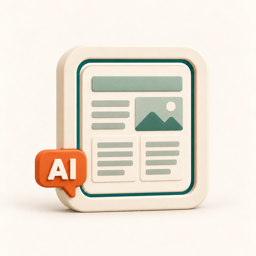
atshift Article Composer key visual

03 / Setup

A short path
to getting started.

Before using the plugin on a production site, take a backup and verify the display and behavior in staging.

  1. 1

    Install on an isolated test site

    Confirm WordPress 6.9+, PHP 8.2+, and activate the official MCP Adapter 0.7.1 or newer.

  2. 2

    Give the AI guide to your client

    Download the guide from Article Composer and follow it with a compatible AI client to establish the connection.

  3. 3

    Build the article and destination

    Choose text, images, layout, post type, and existing categories or tags, then review the private preview.

  4. 4

    Request publication explicitly

    After review, ask a separately authorized publishing connection to publish immediately or schedule the article.

05 / FAQ

Before you install.

Common questions about features, compatibility, and the scope of each plugin.

This is an early release. Evaluate it on an isolated test site and review its permission, connection, storage, and publication constraints first.Generally not for everyday article creation after the connection is ready. Initial setup, permission changes, reconnection, and private theme-based previews can still require WordPress sign-in.Yes. Download it from the official WordPress.org page, or search for atshift Article Composer under Plugins > Add New Plugin in WordPress. The package includes English and Japanese interfaces and guides, and future updates come from WordPress.org.No. You connect a compatible AI client of your choice through the separately installed official MCP Adapter.Use an AI client that supports MCP and the required authentication route. Guidance is available for ChatGPT, Claude, Gemini, and related clients, but features vary by application, subscription, and region. A manual article-JSON workflow is available when a usable MCP connection is not.Yes when the AI client can read the attachment and transfer the required bytes. Material sent to the AI is also handled by that service, so review its terms and retention rules before sending confidential or personal information.No. Draft authoring and publication use separate permissions. Publication requires an explicit request through an authorized connection after review.The current release covers initial publication. It does not use a later Article Composer draft save to overwrite an already published post.No. Article Composer does not migrate existing posts or replace Fields. It adds a separate conversational workflow for creating and publishing articles.

WORDPRESS PLUGINS BY @SHIFT

Bring atshift Article Composer
into your workflow.

Start in staging and confirm that the plugin fits your actual workflow.

Get it on WordPress.org